Units
The Units view shows your unit and other active units that are available to you in GovCIO COMMANDLINK v2 Mobile. Use this view to check unit status, confirm recent location updates, contact other users, navigate to a unit, or track a unit on the map.
Your unit is the device registered with GovCIO COMMANDLINK Mobile for location tracking. This is typically a user’s mobile phone, but it can also be a tablet, computer, or another device capable of sending GPS coordinates.
When location sharing is enabled and your status is Available, your device sends GPS coordinates to the server so your location can be shared with other users.
Viewing Units
Open the Units tab to view available units.
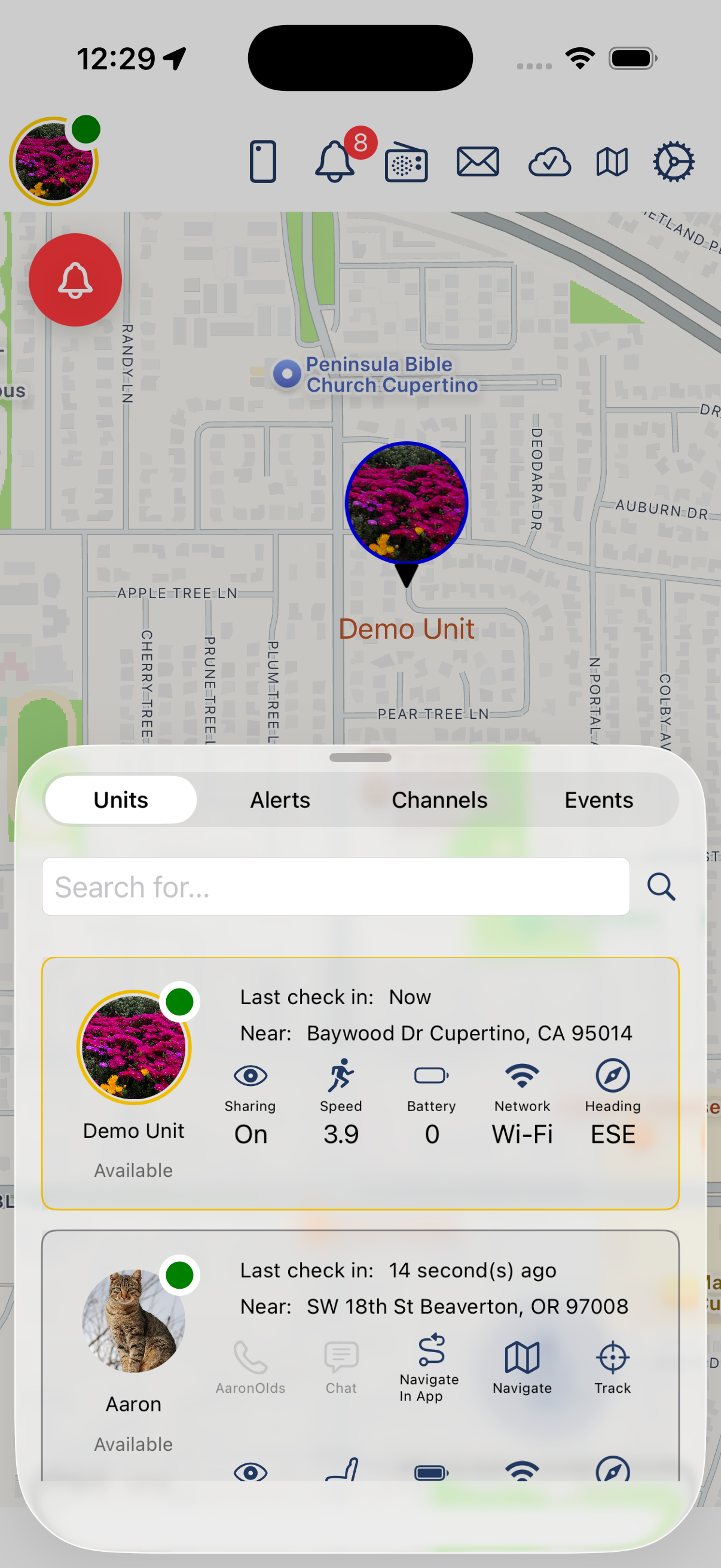
Units List
All units in your group are shown in the Units list. Each unit includes context-rich details and available actions.
Units appear in the list with their most recent available status and location information.
Depending on the unit details available, actions may include:
Call the unit when the device ID is a valid phone number
Send a chat message
Navigate to the unit within GovCIO COMMANDLINK Mobile
Open navigation in the device map application
Track or follow the unit on the map
Tap a unit in the list to pan and focus the map on that unit’s location.
Your Unit Status
Your unit card can include:
Current status, such as Available
Location sharing state
Last check-in time
Latest known location
Speed
Battery level
Network type
Heading
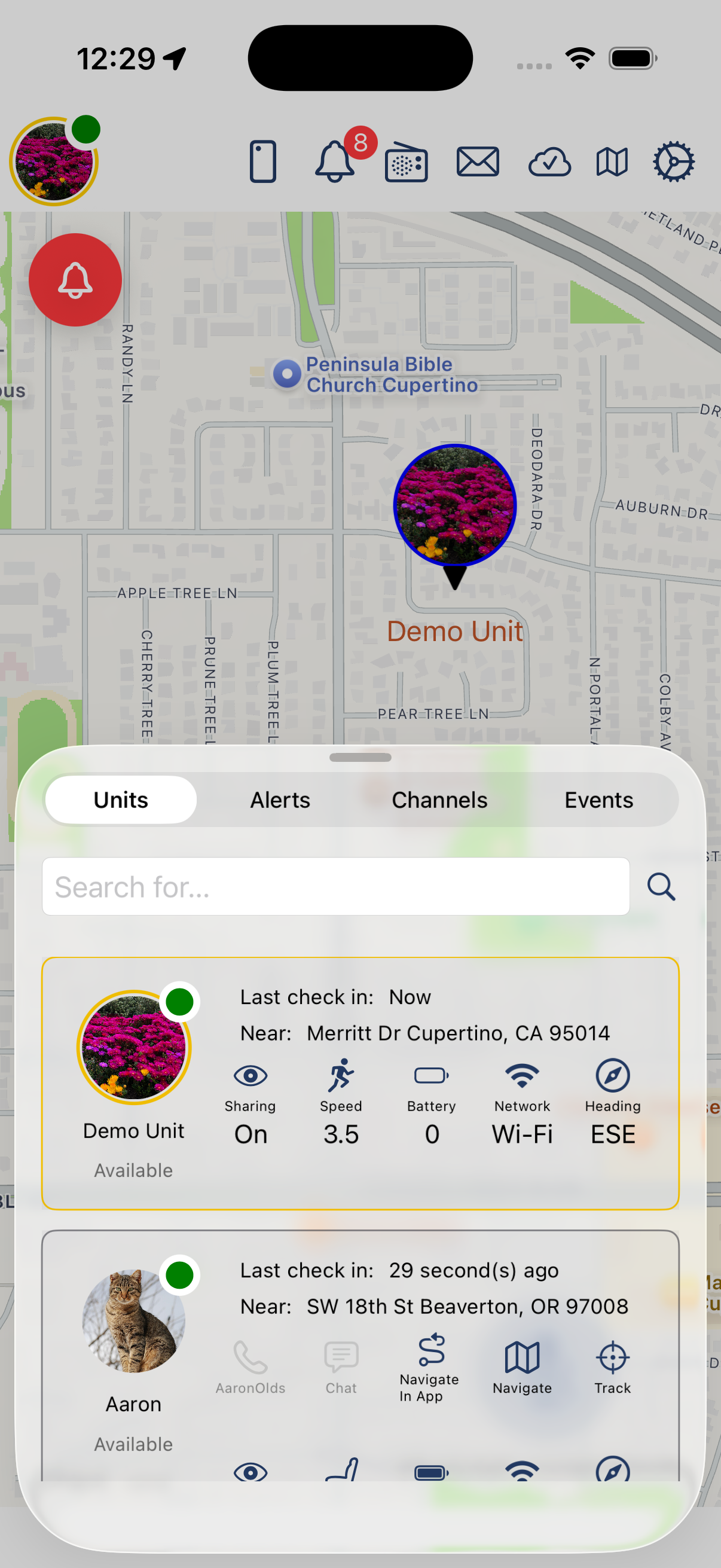
Your Unit
Use this information to confirm that your device is reporting correctly and that location sharing is enabled when expected.
The last check-in time indicates when the most recent location update was sent or received. For example, if the last check-in time is 30 seconds and the unit’s refresh rate is 60 seconds, the position was sent 30 seconds ago and the next location update is expected in about 30 more seconds.
Navigating to a Unit
Use Navigate In App to start navigation inside GovCIO COMMANDLINK Mobile.
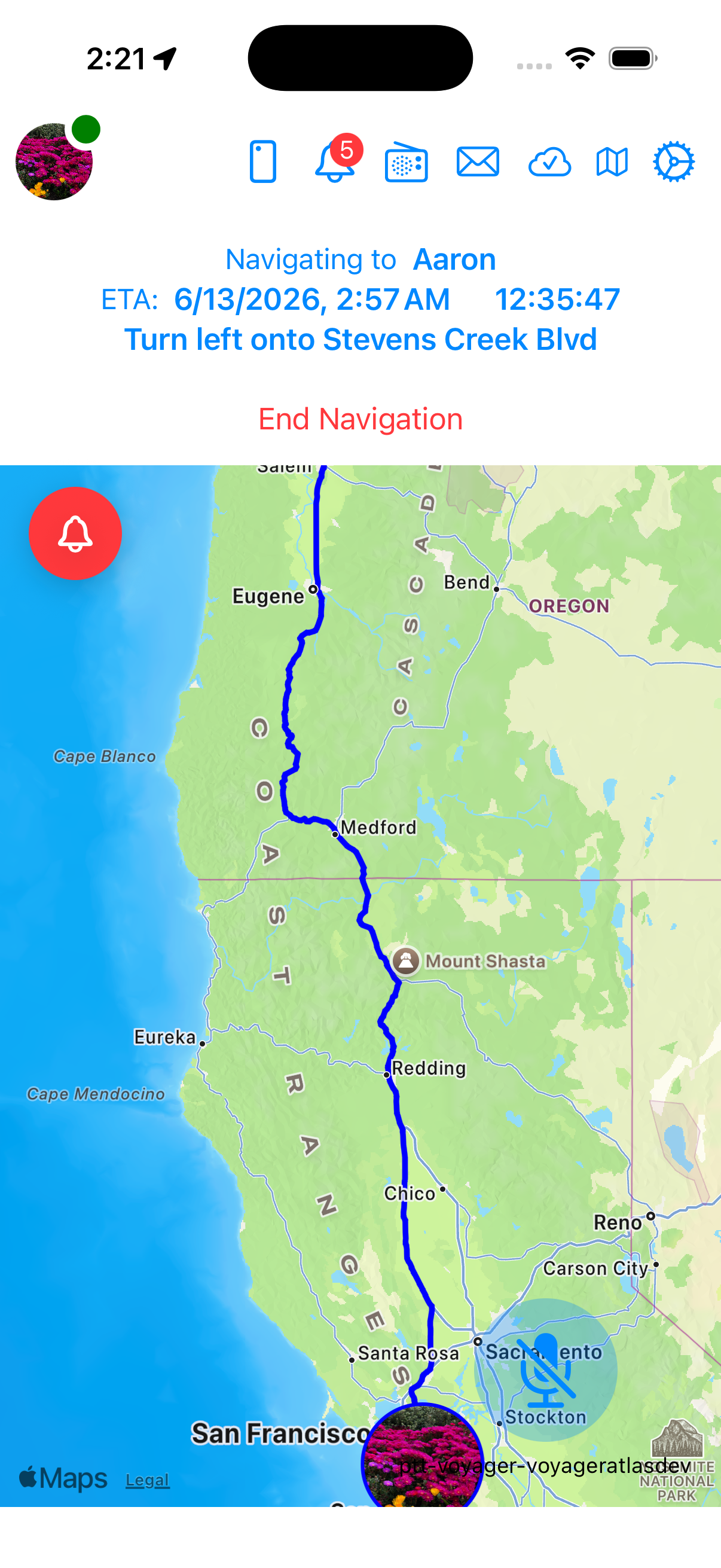
Navigate In App
Use Navigate to open directions in the device map application.
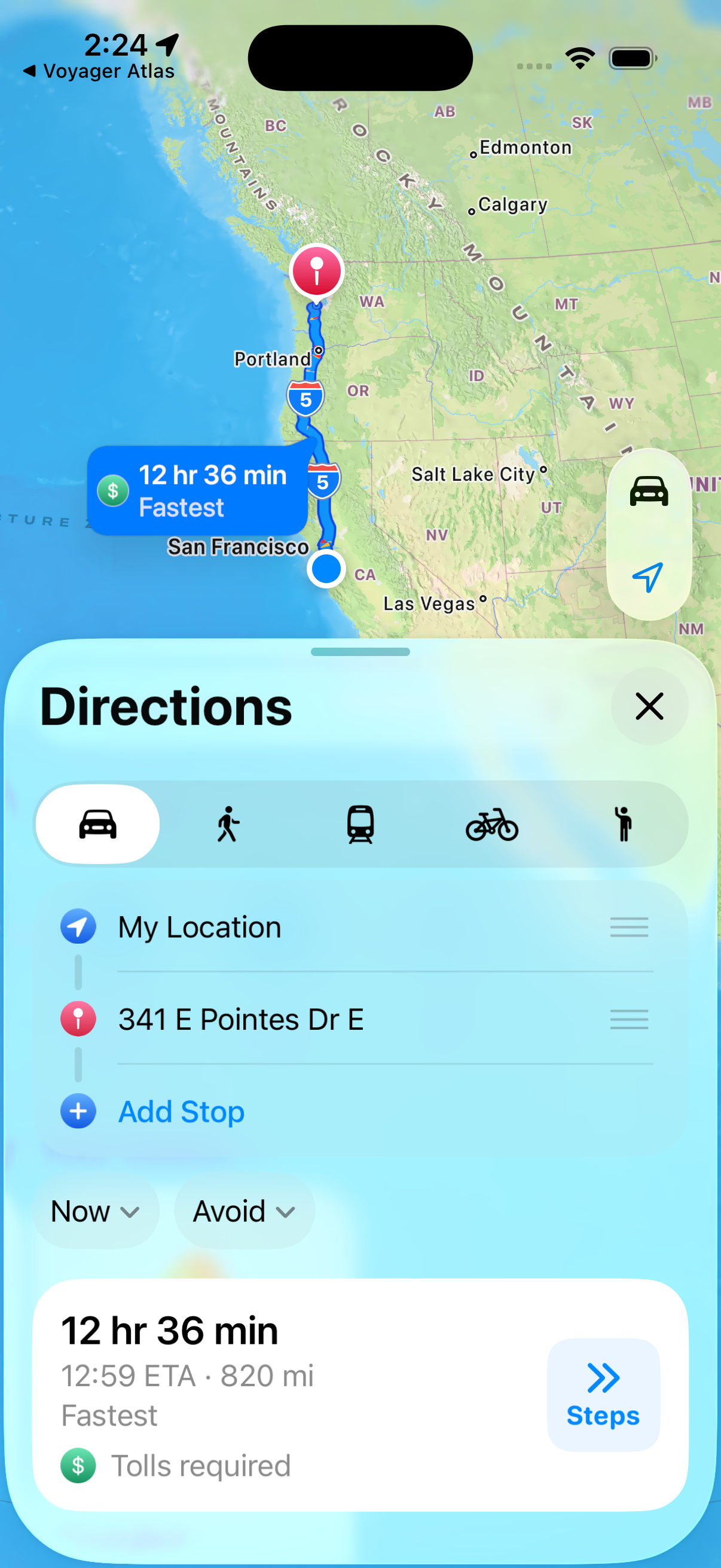
Navigate in Device Map Application
Tracking a Unit
Use Track to follow a selected unit on the map. Tracking keeps the selected unit in focus and displays its current details while location updates are available.
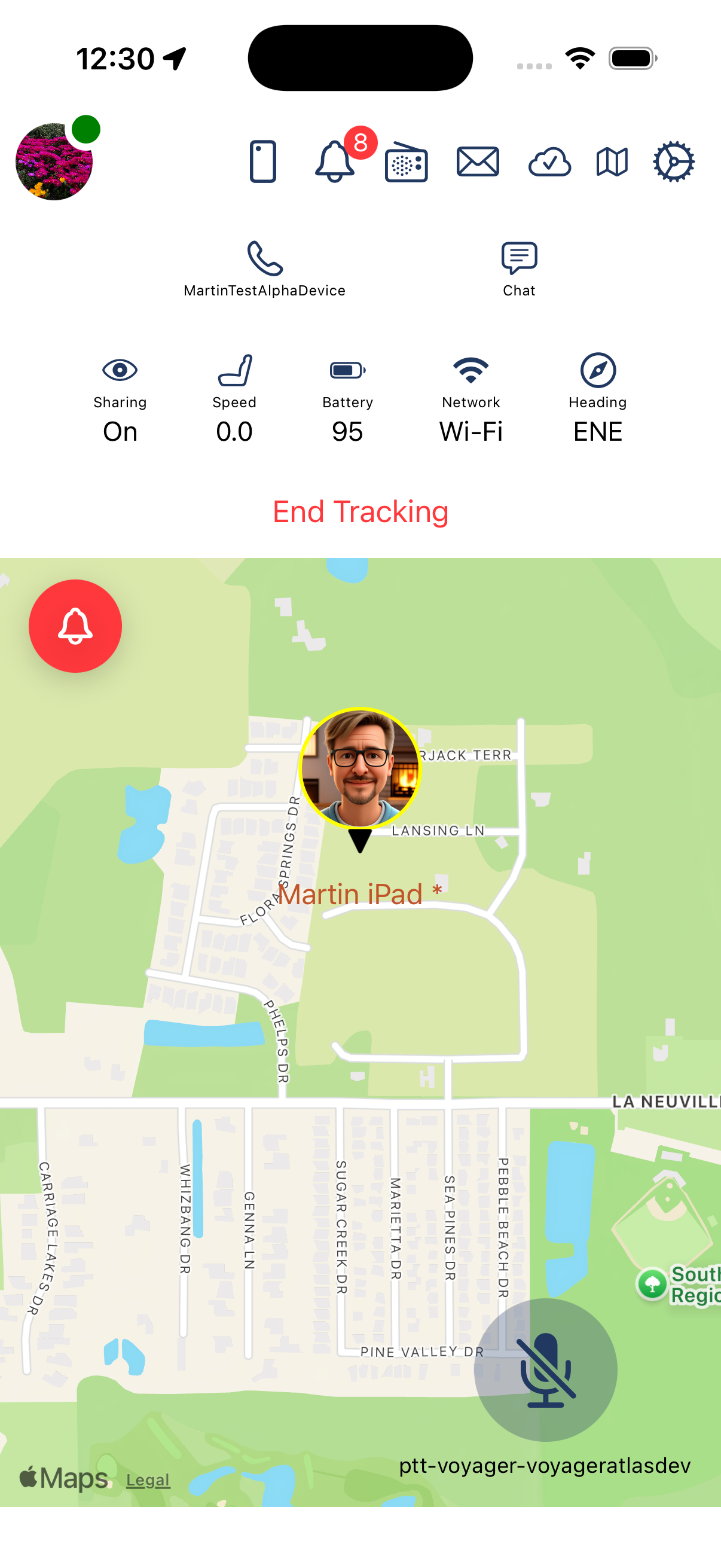
Track Unit
To stop tracking, select End Tracking.