iOS Troubleshooting
iOS Permissions
The needed iOS permissions are shown in the following screen capture.
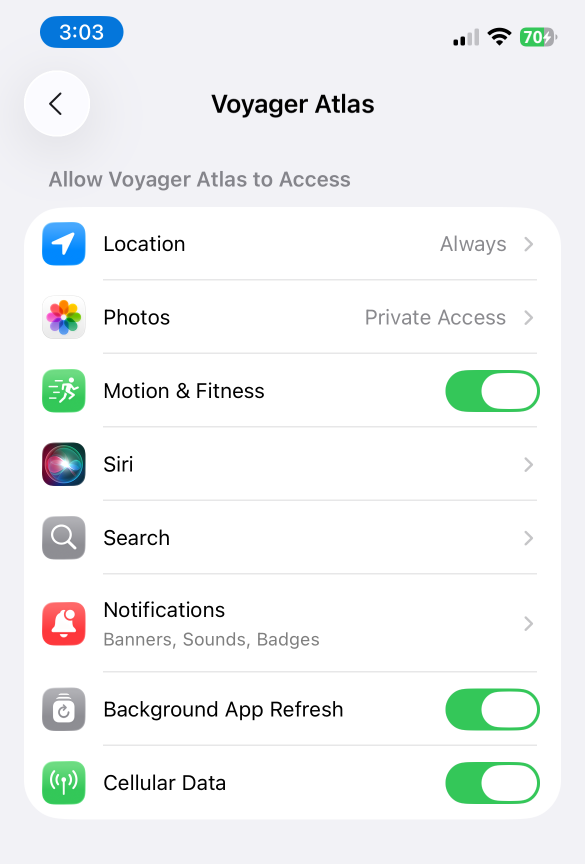
GovCIO COMMANDLINK App Permissions
iOS Always Allow Location Access
At some point when the app is running, the user is prompted to confirm the desired access to location sharing. Select Always Allow to ensure location is shared even when the app is in the background.
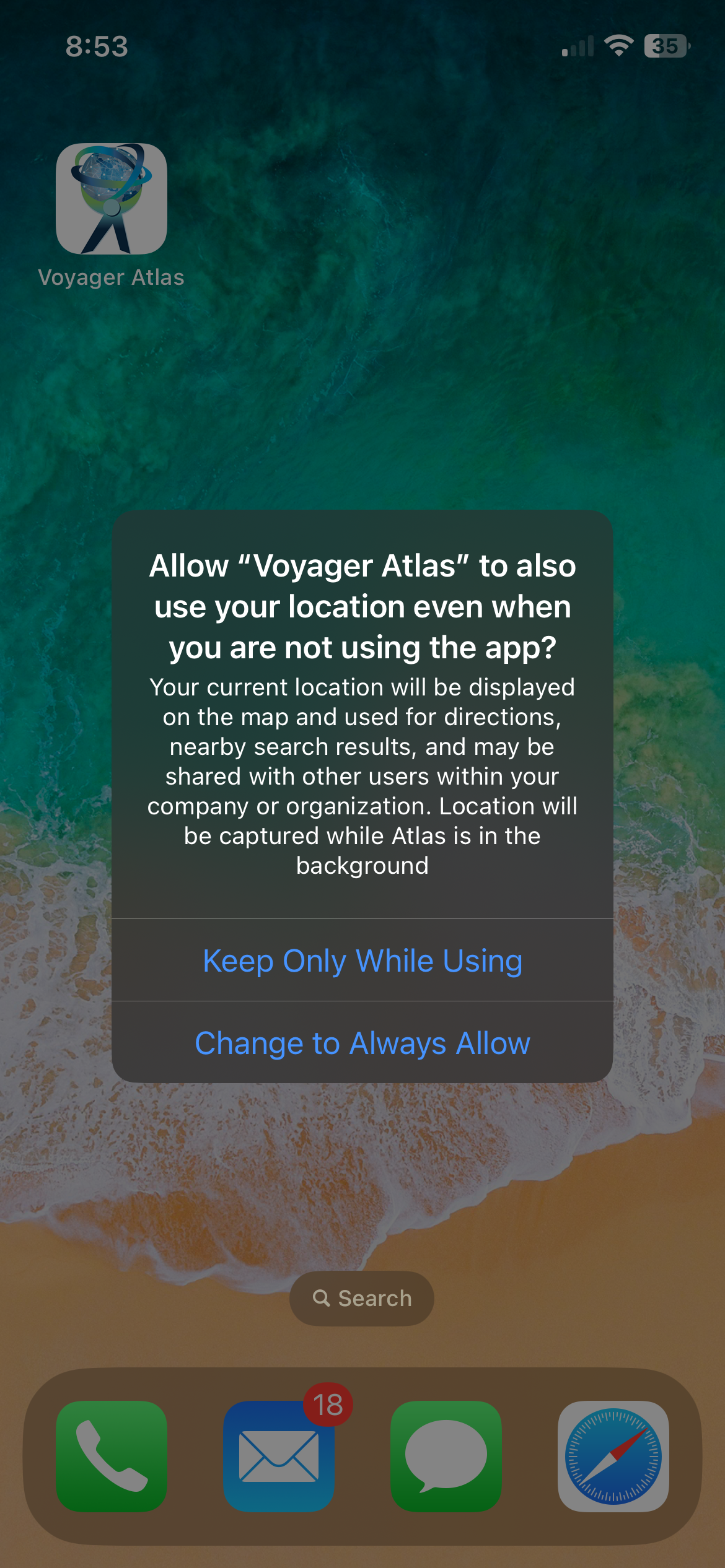
GovCIO COMMANDLINK Always Allow Location Access
iOS Message Queueing Indicator
If a cloud icon appears in the top bar with an increasing number, messages are queueing and have not been sent yet.
This usually indicates network connectivity was lost or became unstable.
When connectivity is restored, queued messages are sent automatically and the count should decrease.
Recommended action: verify cellular or Wi-Fi connectivity, keep the app open briefly, and retry once the queue count begins to drop.